Add an MCP server
Choose a registry entry or add a remote URL, Docker image, npx package, or uvx package.
 Claude
 Claude Code
 Cursor
 VS Code
 Codex
MCP Any MCP client
Codex
MCP Any MCP client
 Open source
Self-hosted
Open source
Self-hosted
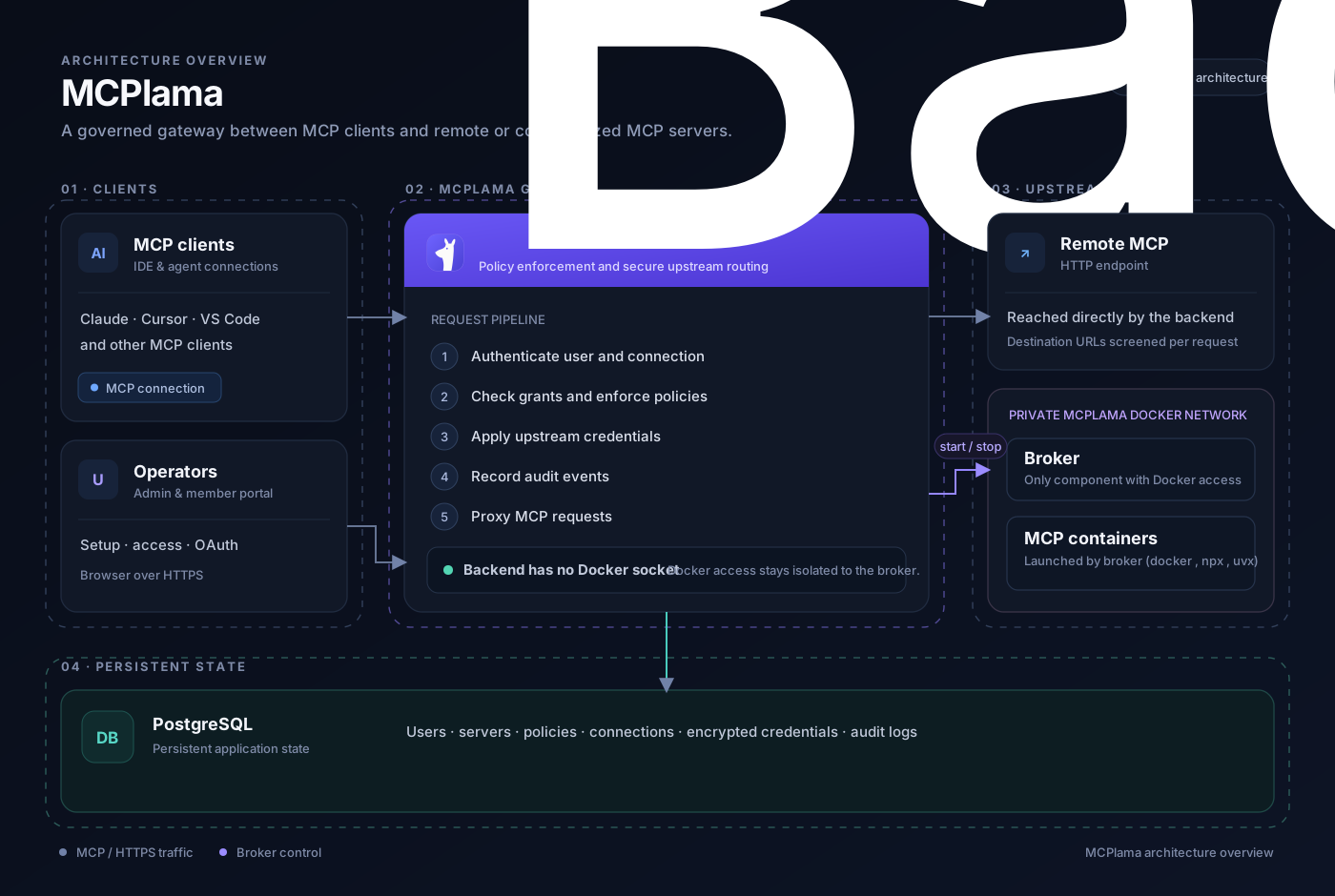
Connect AI clients to remote and local MCP servers through one self-hosted gateway. Manage access, protect credentials, enforce policy, and audit every MCP call.
docker run -d --name mcplama -p 8080:8080 -v /var/run/docker.sock:/var/run/docker.sock -v mcplama_pgdata:/var/lib/postgresql -e GATEWAY_URL=http://your-host:8080 mcplama/mcplama:latestyour-host with the hostname MCP clients will use.MCPlama authenticates the client, checks access policies, applies credentials, records the audit event, and routes the request to the right MCP server.
A straightforward path for admins to publish tools and for people to connect their own clients.
Choose a registry entry or add a remote URL, Docker image, npx package, or uvx package.
Choose shared or per-user authorization, publish access, and apply policies for users and tools.
Give each user a personal connection token and client-ready setup instructions.
Trace the caller, tool, policy decision, status, and latency in the activity log.
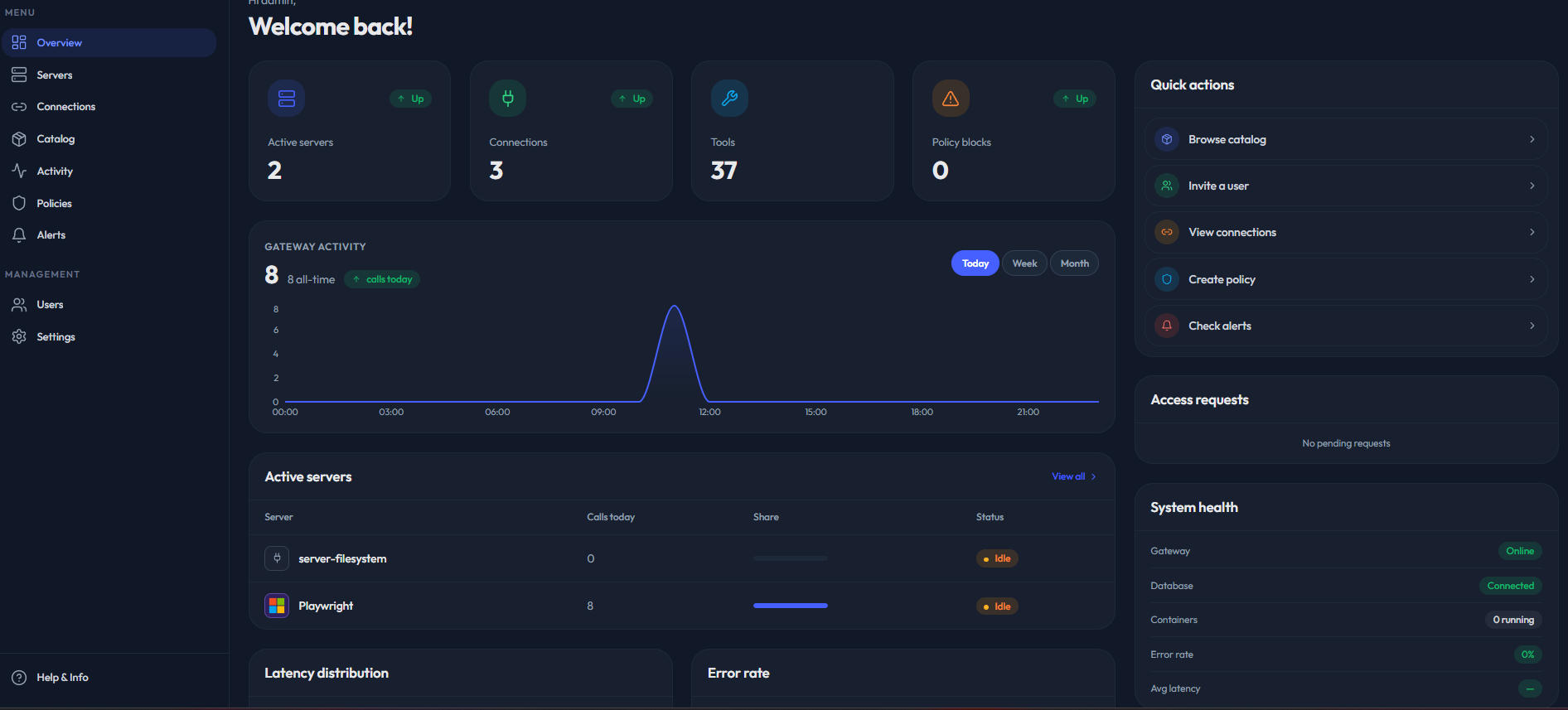
Explore the admin console and member portal. Select a tab or let the screenshots cycle through the app.
Use the built-in registry or connect a server you already run. MCPlama normalizes each option behind the same access controls and client connection.
Point MCPlama to an MCP endpoint running on your network or with a provider.
https://tools.example.com/mcp Run an image
Run containerized MCP servers in an isolated network managed by MCPlama.
ghcr.io/org/mcp-server Run an npm package
Launch JavaScript MCP servers with their package command and arguments.
npx -y @scope/mcp-server Run a Python package
Run Python MCP packages through uv without maintaining a separate install.
uvx --from package-name serverKeep the same server and policy controls while matching how your team uses each tool.
An admin connects once and the team uses the shared server credentials.
Each person connects their own account; credentials stay isolated by user.
Browse the live catalog of ready-to-install MCP servers, then manage access and credentials from MCPlama.
The open source Community edition is free forever. Enterprise and Cloud add options for teams that need more.
Run MCPlama on your infrastructure, connect the clients your team already uses, and keep every MCP call visible.
$ docker run -d --name mcplama \
  -p 8080:8080 \
  -v /var/run/docker.sock:/var/run/docker.sock \
mcplama/mcplama:latestLearn how to secure, connect, and self-host the tools your AI clients use.
 MCP fundamentals · 7 min readWhat Is an MCP Gateway? A Practical Guide for TeamsUnderstand how a gateway connects AI clients to tools while centralizing access and operations.
 Security · 8 min readMCP Security: Access Control for AI Tool ServersBuild a practical security baseline for shared MCP tools, credentials, and audit trails.
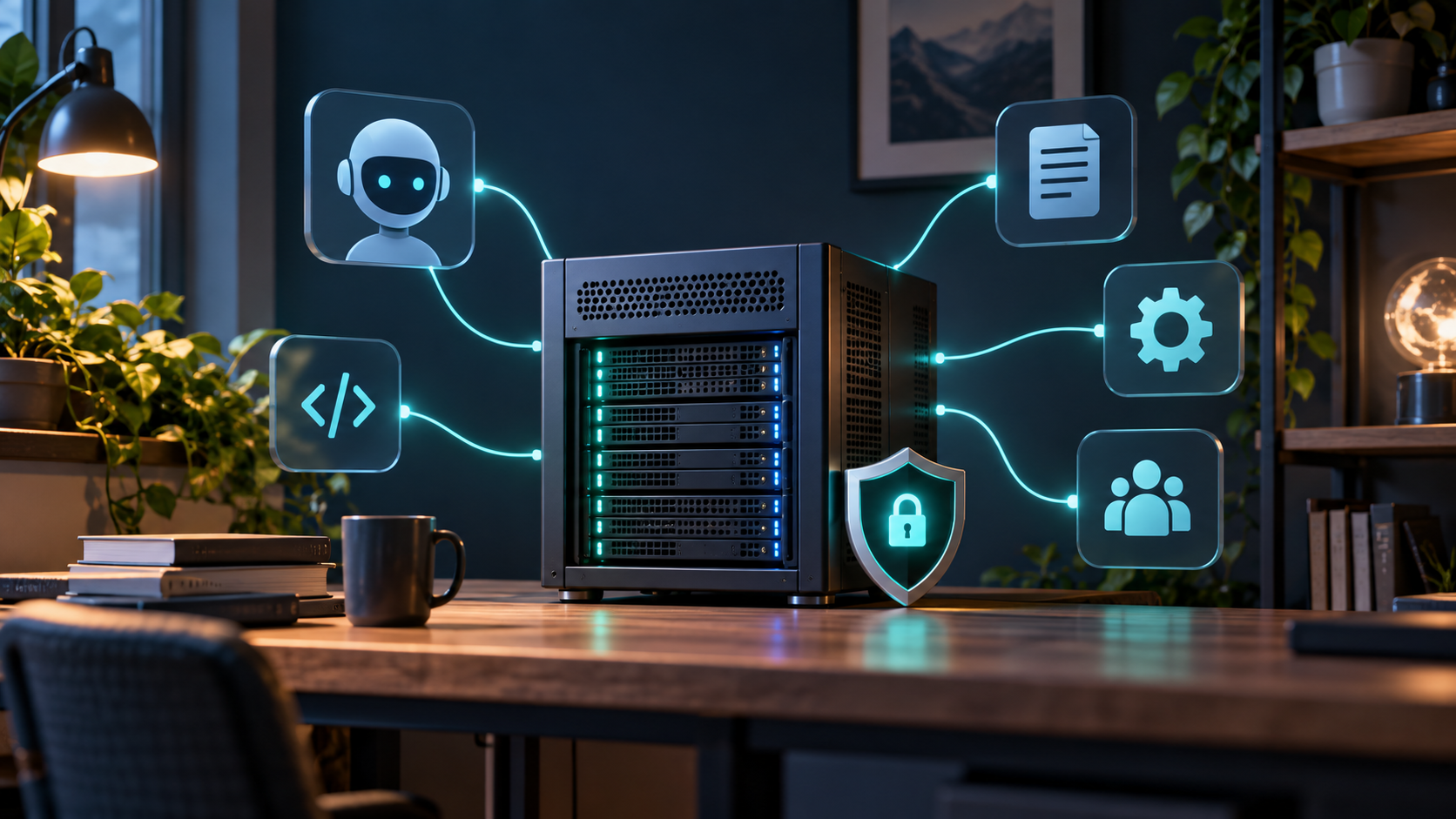 Self-hosting · 6 min readHow to Self-Host MCP Servers for Your TeamPlan a deployment that keeps infrastructure and operational control in your environment.
 Integrations · 9 min readConnect the Okta MCP Server to MCPlamaConfigure a browserless Okta service app, grant scopes, and troubleshoot the first connection.